


Easy to view training videos on laptop, tablet, and more

Key takeaways
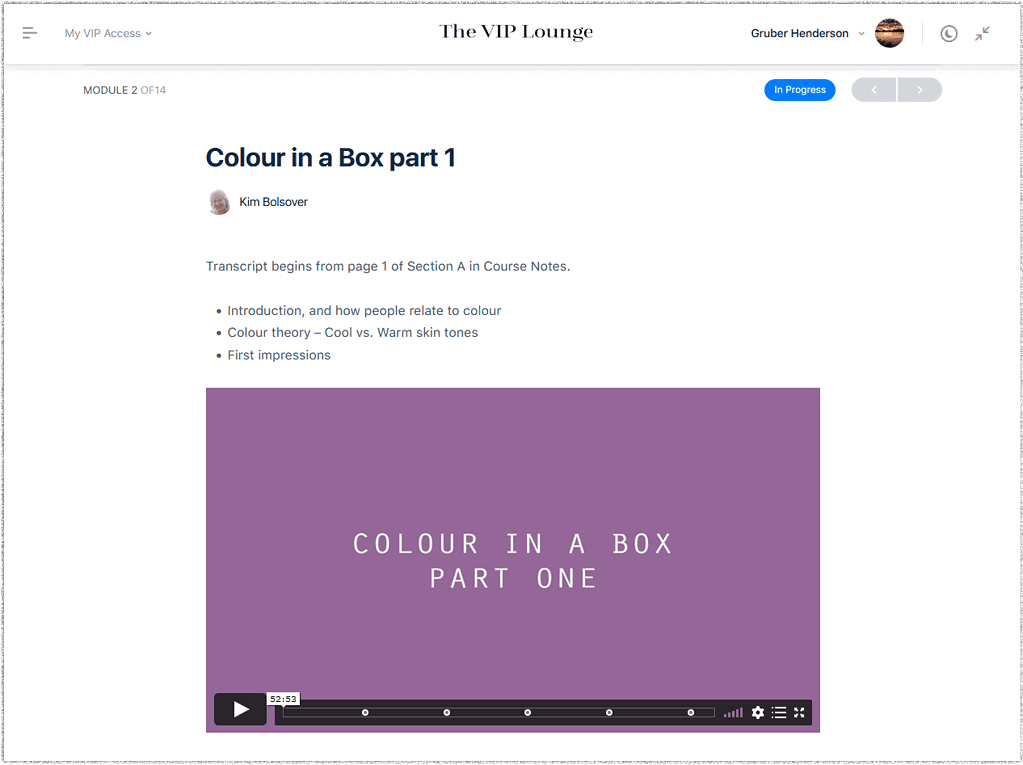
- The new video player for our online courses offers a user-friendly experience with features like chapter markers and full screen option.
- It uses adaptive streaming technology for optimal audio and video quality, ensuring reliable playback based on your internet connection.
- Courses may include subtitles and transcripts, aiding non-native English speakers or users who prefer lower volume.
- Transcripts automatically scroll during playback and allow searches for specific words or phrases.
Training video streaming made simple
All of our online courses have a brand-new video player that’s easy to use with extra playback functions, and depending on the course, with video player will have
- Chapter markers
- Chapter menu button
- Full screen option
The new player uses adaptive streaming technology which means you get the best possible audio and video quality with the most reliable playback possible for your internet connection.
Some courses have video subtitles, perfect if English isn’t your first language or when you want to turn the playback volume down.

Extra training video options
Some courses have subtitles, perfect if English isn’t your first language or when you want to turn the playback volume down.
Some courses have additional transcripts which you can follow as you watch and listen. The transcripts scroll automatically as the video plays. You can even search the transcripts for particular words or phrases. Perfect!